Comp Progress Reports – Coordinator Workflows With Griptape

This article breaks down a fun workflow I put together using Griptape.
Intro
It was during my first ever meeting with the machine learning working group at the Academy Software Foundation that I met Jason Schleifer, Chief Creative Officer at Griptape and a Wētā FX alum. He was there to showcase Griptape and breakdown the progress they had made in what was described as the connective tissue for AI in modern day VFX. Fast forward a year and The Foundry purchased Griptape to signal their focus on tomorrow's compositing ecosystem. It's exciting to see, and I've been planning a chance to meaningfully test out the project for some time.
What is Griptape?
Griptape is a few things. First and foremost, it's an AI orchestration tool that allows you to set up multiple agents using a graphical node-based interface. With The Foundry's acquisition, it's becoming increasingly integrated into the Nuke Family suite of tools. It's also a framework, meaning Griptape is an open-source, Python-based library for building AI applications — crucially it's the layer underneath the node UI you see when you set up the installable application. The UI, called Griptape Nodes, is the visual front-end; while the framework is the code-level foundation that the same workflows compile down to (or can be authored in directly). It's a robust, highly extensible Python architecture designed for scale, workflow longevity, and integration with existing infrastructure.
Flow Production Tracking Library
Griptape Nodes comes with a built in standard library of nodes you can use. It also has a few other libraries maintained by their team and community contributors. One of these libraries is the Flow Production Tracking Library. It's the library that stood out to me most as someone in production management. Here's what some of the nodes look like:
| Node | Description |
|---|---|
| Create Entity | Creates a new ShotGrid entity (including custom entities) with user-defined custom field name/value pairs; auto-conforms link fields to the schema. |
| Create Note | Creates a note in ShotGrid, optionally linked to an entity and addressed to a user. |
| Create Task | Creates a new task in ShotGrid for an asset, shot, or other entity. |
| Update Entity | Updates any ShotGrid entity (Asset, Shot, Task, etc.) with provided field data. |
| Get Schemas | Retrieves ShotGrid schema/field information for an entity type. |
| List Tasks | Lists tasks for an asset, shot, or project in ShotGrid. |
To test these out, I put together a simple image uploader for ShotGrid. The nodes go ShotGrid Configuration -> Upload File. Here's what that looked like:
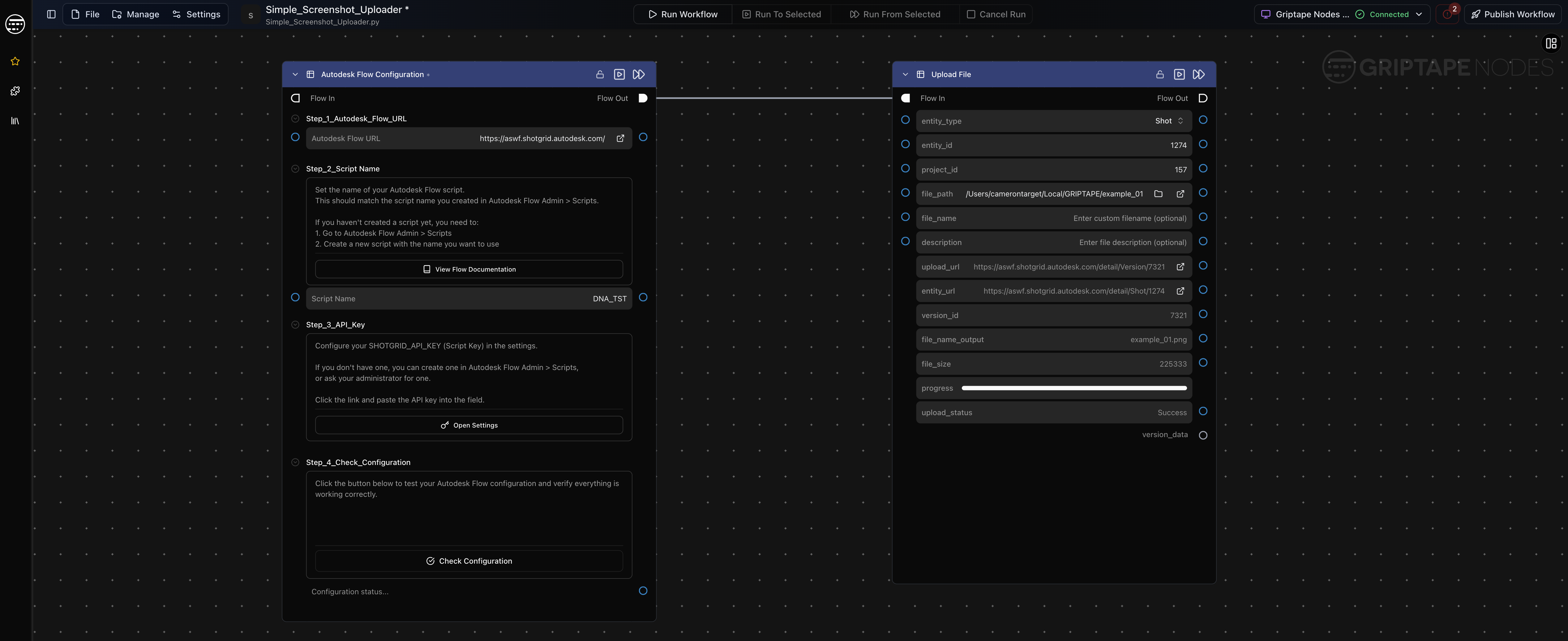
Image shows a simple screenshot uploader built in Griptape Nodes.
Nuke Library
There's also this new Nuke library. Which allows you to set start and end points to a workflow, then publish the whole thing as a nuke gizmo to be run inside your comp. Take a look at the available nodes here:
| Display Name | Description |
|---|---|
| Nuke Start Flow | Entry point for a Griptape workflow that drives a Nuke pipeline. |
| Nuke End Flow | Terminates a Nuke-driven workflow and surfaces execution status for downstream error handling. |
| Nuke Script | Executes a .nk script headlessly over a frame range, with annotated Read/Write nodes mapped to typed I/O ports — outputs images, image sequences, video, or 3D geometry back into the workflow. |
So that same screenshot uploader would look like this with the two extra nuke nodes Nuke Start Flow -> ShotGrid Configuration -> Upload File -> Nuke End Flow:
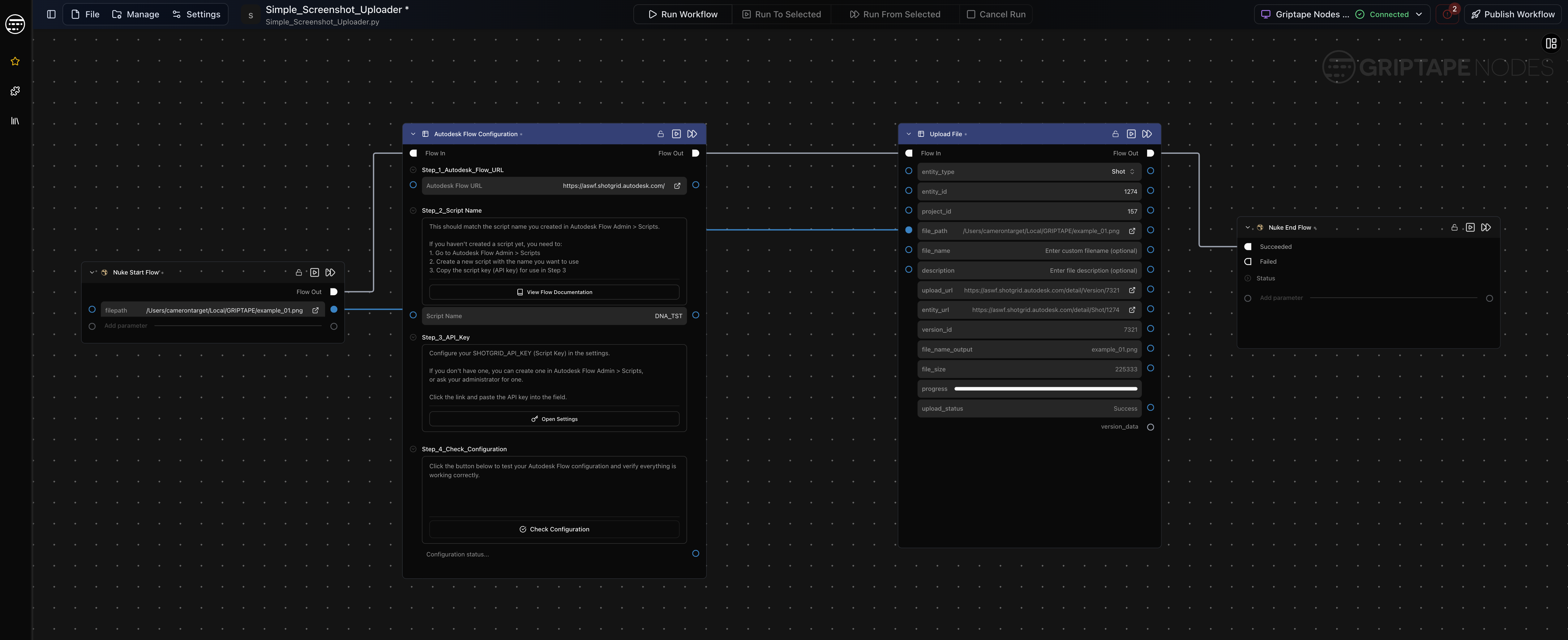
Image shows the screenshot uploader with additional nodes.
Once ready to publish the whole thing, you open up a dialog that confirms the gizmo version number and saves it to your .nuke folder, making it available in your node graph.
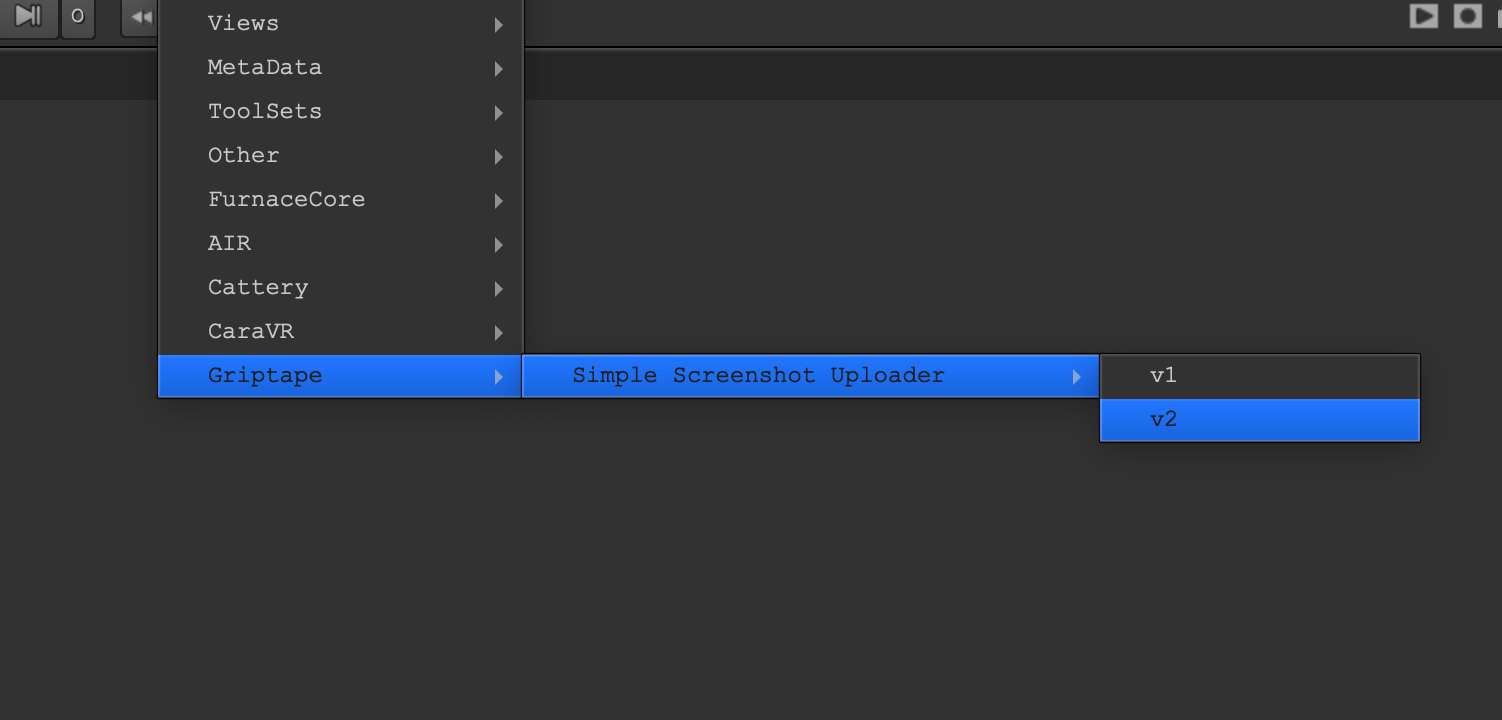
Image shows new Griptape gizmo available inside Nuke.
The Standard Library comes with these things called "agent nodes". Here I added an agent that would accept a prompt and upload the output as the description for the uploaded image.
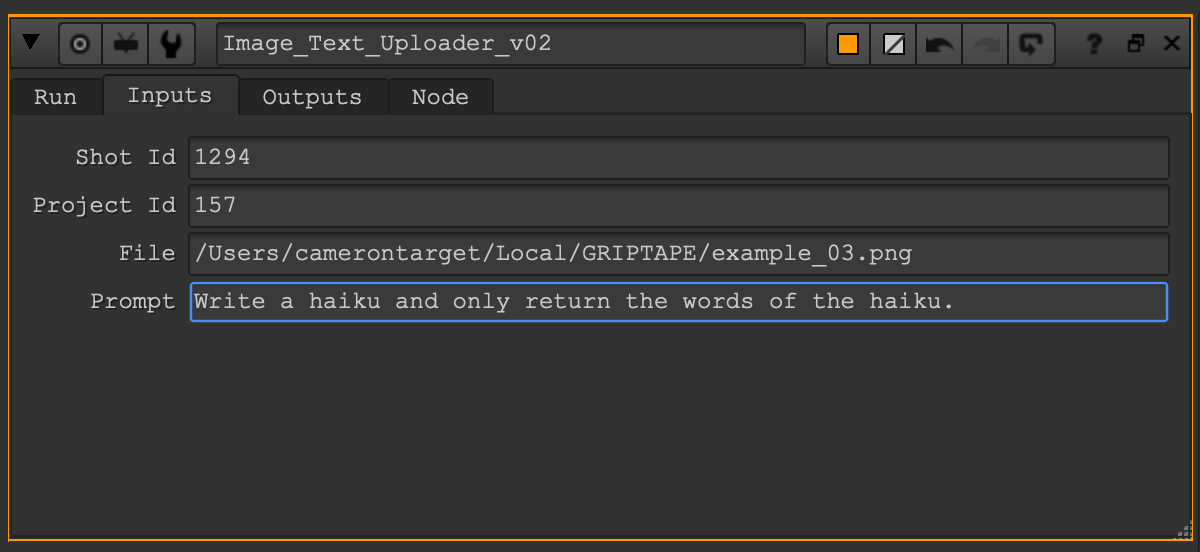
Image shows haiku image uploader.
Making A Comp Progress Reporter
Investigating Griptape and trying out some simple workflows got the gears turning for sure. I decided I wanted to try and make a Nuke comp progress reporter. The idea started with an imagined scenario where an artist, mid-work, on a roll, gets a request from a coordinator for a detailed status update on their work. To give that update, the artist could use a gizmo that would pull information about the comp, feed it to an LLM and send that summary up to ShotGrid as a custom entity which would be called 'Progress Reports'.
I could picture most of the workflow using the mentioned Standard, ShotGrid, and Nuke Griptape Node Libraries, but the main challenge was putting together a script for nuke data that would sit in my Griptape Nodes graph as an execute python node from the Standard Library. I needed to get the right kind of information pulled from the comp to give the model the best chance of generating a useful summary. My solution: ask Claude Fable. Yeah, I asked Claude. In this no-code workflow, asking an LLM to put together a script and prompt for itself to get the best results is not a bad way to approach things. In this case especially, I was in the window before Claude Fable was shut down. If you had the chance to test it, Fable was bonkers. I had attempted this before the model was released with Opus and then re-built it with Fable. Fable put together a better script with a bunch more details about the comp, as well as a great detailed prompt.
The script itself creates a digest that separates data into four labeled sections: Inputs, Output, Structure, and Stats, then packages everything into a dict the LLM can use.
In addition to pulling data from the comp, I set up a Get Entity Info node in my Griptape workflow to grab the shot description and feed that to the LLM as well. This extra context was a big improvement to the results.
Here's a snippet from the prompt:
You are a VFX compositing supervisor's assistant. You will receive a
structured digest of a Nuke compositing script, plus an optional shot
description from production tracking. The note you write will be
reviewed and edited by the artist, then published to production
tracking, so write it the way a coordinator would talk about a shot
in a review: plain production language, no jargon dumps, no file paths.

...

SHOT DESCRIPTION:
{shot_description}

DIGEST:
{digest}
And the results being generated in Griptape Nodes:
Image shows the output of a Comp Progress Reporter in Griptape Nodes.
Once I got through a few issues I was able to run this workflow in Nuke finally:
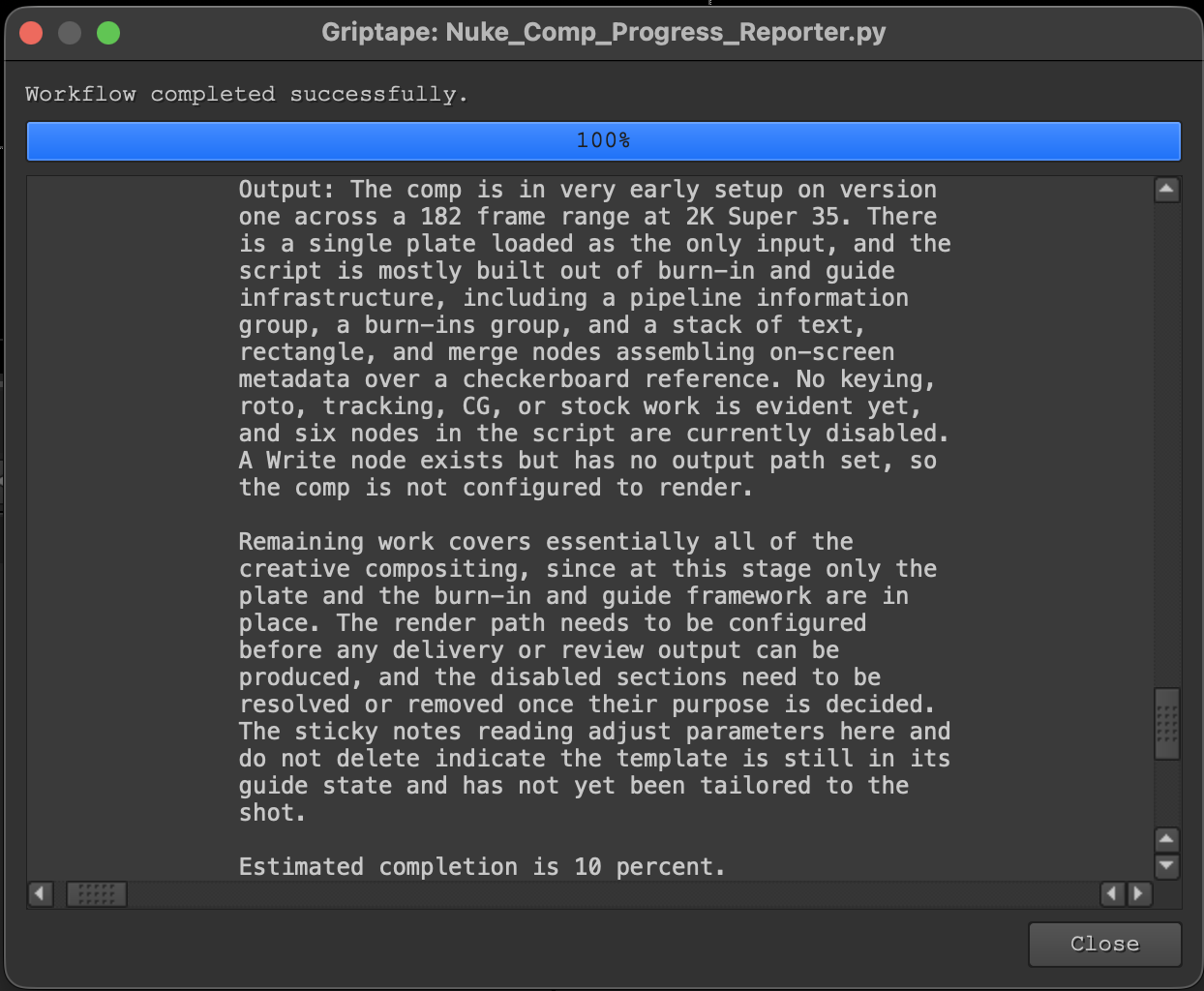
Image shows the output of Comp Progress Reporter in Nuke when the workflow is run as a gizmo.
And publish the results to SG:
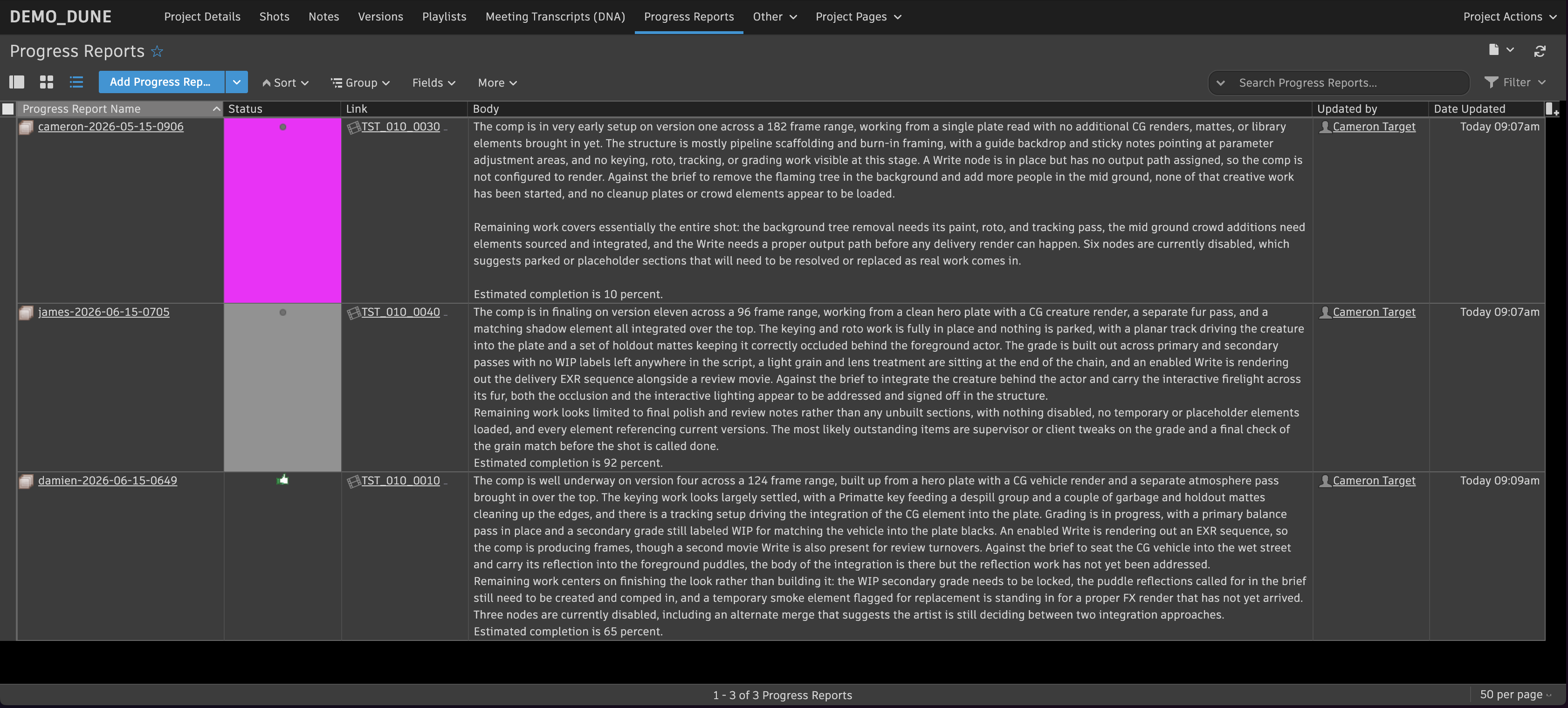
Image shows the output of Comp Progress Reporter as a custom entity with its own page in ShotGrid.
Here's what the whole workflow looked like:
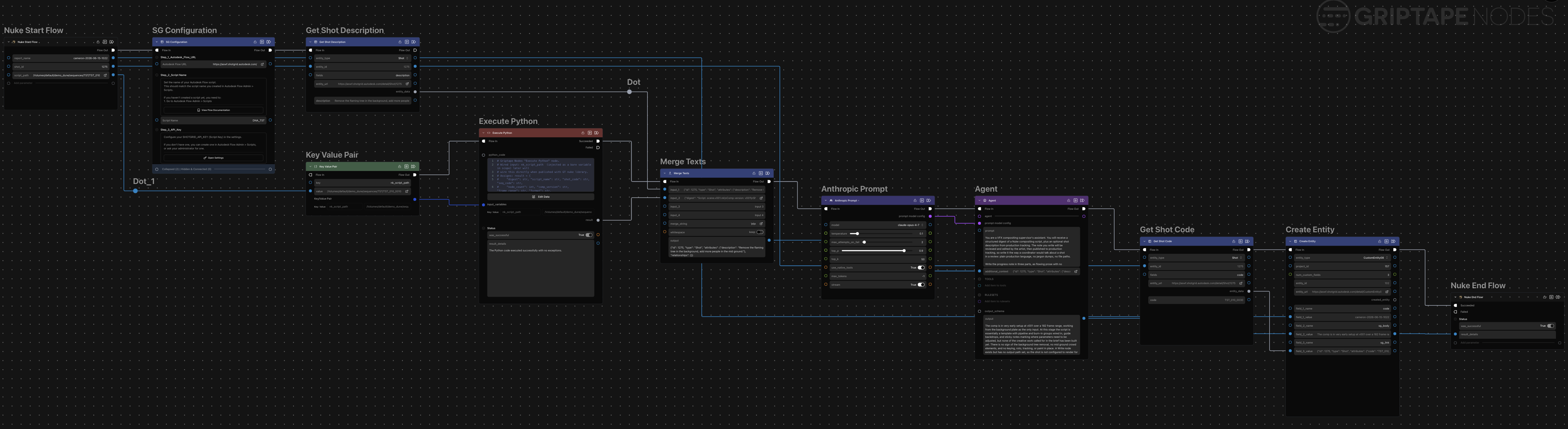
Image shows the final workflow zoomed out in Griptape Nodes.
Future Ideas
I'm stoked I got this to work. I'm also happy I managed to apply this exciting new technology to my own workflows in production. Here are a few things I will need to add next:
- Use SGTK to get work environment information in nuke to pass to workflow e.g shot, task, entity id
- Add a confirmation window that lets artists see what's being said about the comp.
- Add an action menu item to SG that triggers this workflow so coords can just generate this stuff on the fly.
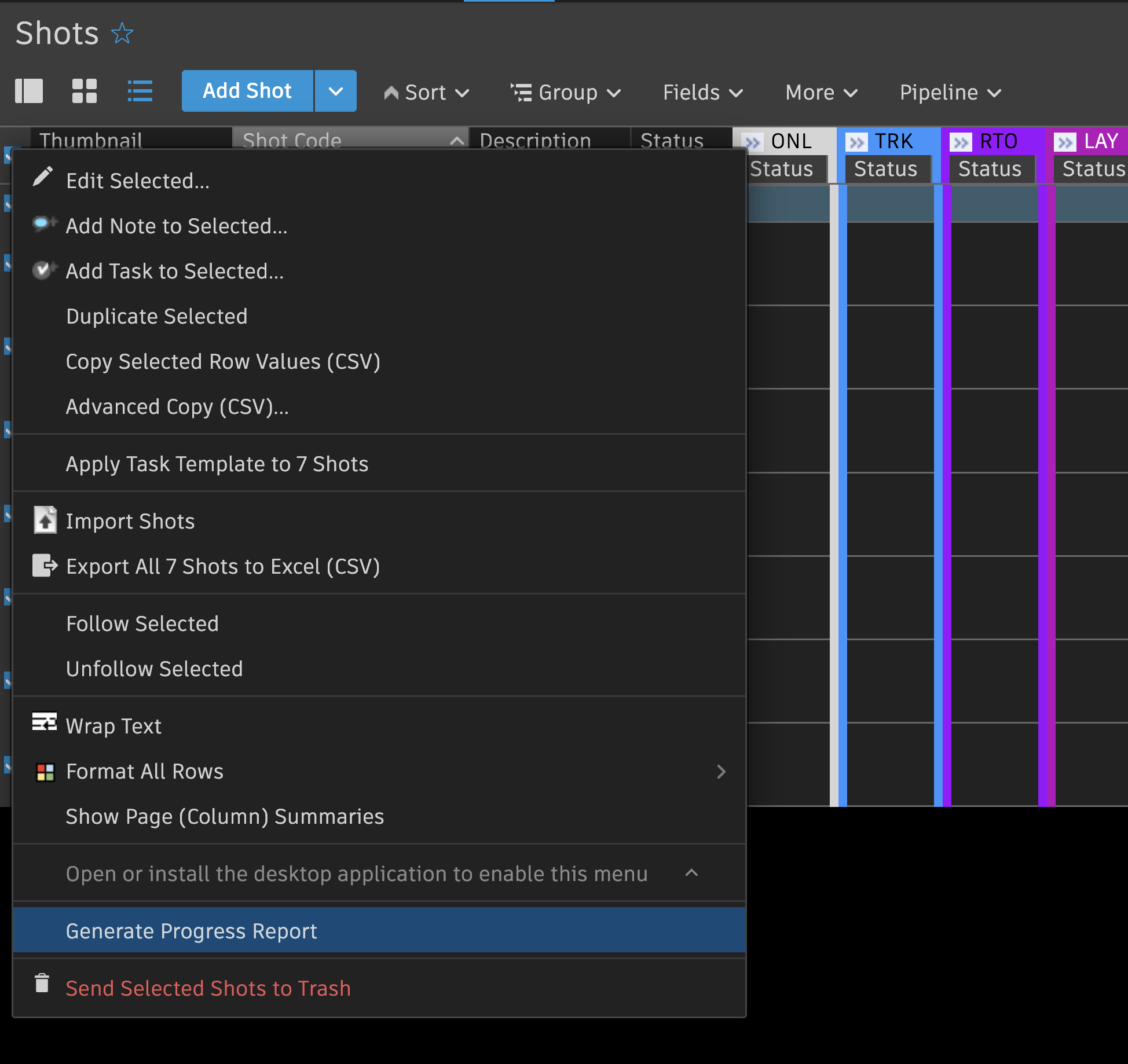
Image shows example of an AMI in SG for this workflow.